Calibrated Sculk Sensor in Minecraft: How the new block works and why it's needed
- Android: 8,0+🕣 Updated
- CategoryInstructions
![Calibrated Sculk Sensor in Minecraft: How the new block works and why it's needed]()

The Calibrated Sculk Sensor has become one of the most interesting blocks for mechanism enthusiasts in Minecraft. It was introduced in version 1.20 Trails & Tales, released in 2023. This version continued to expand on the themes of ancient cities, sculk, and deep caves, while also showing that Mojang aims to make game mechanics not only visually appealing but also more flexible.

What is this block?
The standard sculk sensor can detect vibrations in the world: footsteps, chest openings, block placements, shots, falls, and other actions. After detecting these, it emits a redstone signal. The problem is that the standard sensor reacts to almost everything, which often complicates advanced circuits.
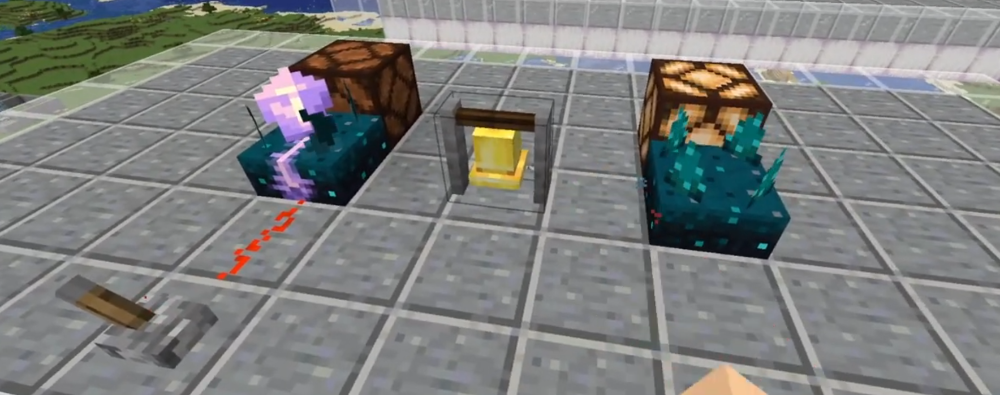
The Calibrated Sculk Sensor solves this problem. It also listens for vibrations but can filter them by type. This makes the block much more precise and useful for automation. Visually, it’s easy to recognize by its amethyst details, which immediately indicate that it’s an upgraded version of the basic sensor.
Main feature: Signal tuning
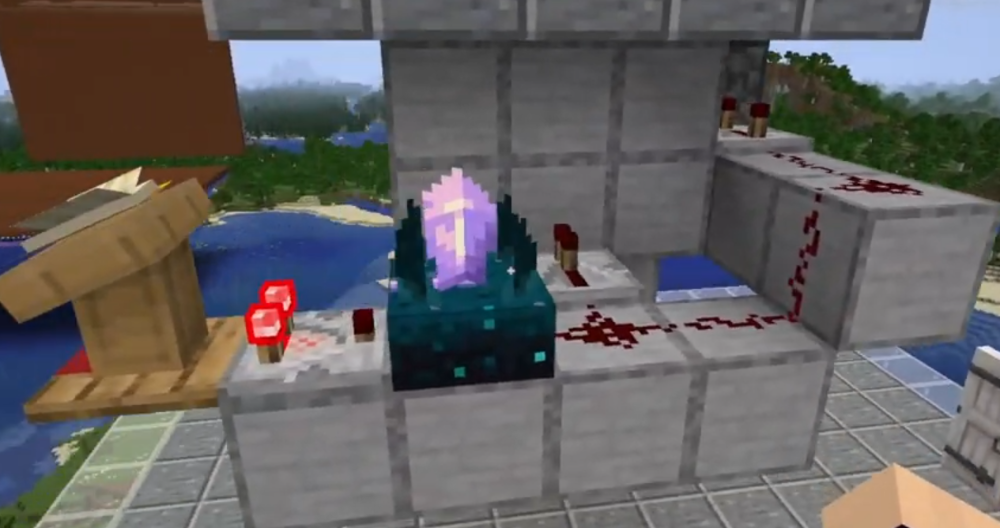
The most important difference between the Calibrated Sculk Sensor and the standard one is its ability to be configured via a redstone signal. If a signal is sent to one of its sides, the block will only react to a specific vibration frequency. In Minecraft, different actions have their own “levels” of vibration, allowing unnecessary ones to be filtered out.
Simply put, players can make the sensor detect only the necessary sounds around it. For example, only footsteps, only container openings, or only block placements. For redstone engineers, this is a big deal, as such precision previously required much bulkier circuits.
How does it differ from the standard sculk sensor?
The difference between the two blocks is immediately noticeable in practice. The standard sculk sensor works well as a universal detector: place it, and it reacts to everything happening nearby. This is convenient for simple alarms or basic traps.
The Calibrated Sculk Sensor, on the other hand, is suited for more precise tasks. It doesn’t completely replace the standard sensor but complements it. If you need a simple motion detector, the standard option is still useful. But if you’re building a smart door, a hidden passage, a sorting system, or a trap that should only activate for a specific action, the calibrated block is almost always the better choice.
For players, this means one thing: redstone has become smarter, not harder. Now, mechanisms can behave predictably instead of being triggered by any random step nearby.
How to obtain the Calibrated Sculk Sensor
This block can be crafted. You’ll need a standard sculk sensor and three amethyst shards. In the crafting table, place the standard sensor in the center, with the shards positioned above, to the left, and to the right. The result is the calibrated version.
This solution also makes sense from a game design perspective. In Minecraft, amethyst is often associated with precision, tuning, and the “fine” work of mechanisms, so its use in the recipe fits well with the block’s overall concept.
Where and why to use it
In practice, the Calibrated Sculk Sensor has many applications. It’s used in security systems where distinguishing footsteps from other actions is important. It’s useful for hidden doors that only open with specific interactions. The block is also suitable for mini-games, adventure maps, and complex redstone mechanisms that require reactions to specific events.
For Minecraft fans, this is one of those blocks that doesn’t change the game for everyone at once but has a significant impact on creative players. It has given builders and engineers a new level of control. Ultimately, the Calibrated Sculk Sensor has become not just an improved version of the old block but an important step in the evolution of redstone and Minecraft’s game mechanics.
- publishedMceadmin
(Google Ads) Privacy Policy and Terms of Use


![Block Strike [Null's]](/uploads/mini/scroll-rel/ab/1694113978_comrexetstudioblockstrike_icon.png)


