Revolution in Appearance: How Snapshot 7 Changes Villagers in Minecraft 26.1
- Android: 8,0+🕣 Updated
- CategoryInstructions
![Revolution in Appearance: How Snapshot 7 Changes Villagers in Minecraft 26.1]()

Fans of the cubic world, get ready for visual changes! The latest snapshot for Java Edition, 26.1 Snapshot 7, brought not just bug fixes but a significant overhaul of some of the game's most iconic mobs — villagers and their zombie versions. In this update, Mojang developers focused on detailing and technical refinement of models, especially when it comes to the younger generation.
Let’s break down what exactly has changed, why it matters for the game’s future, and how your trading halls will look now.
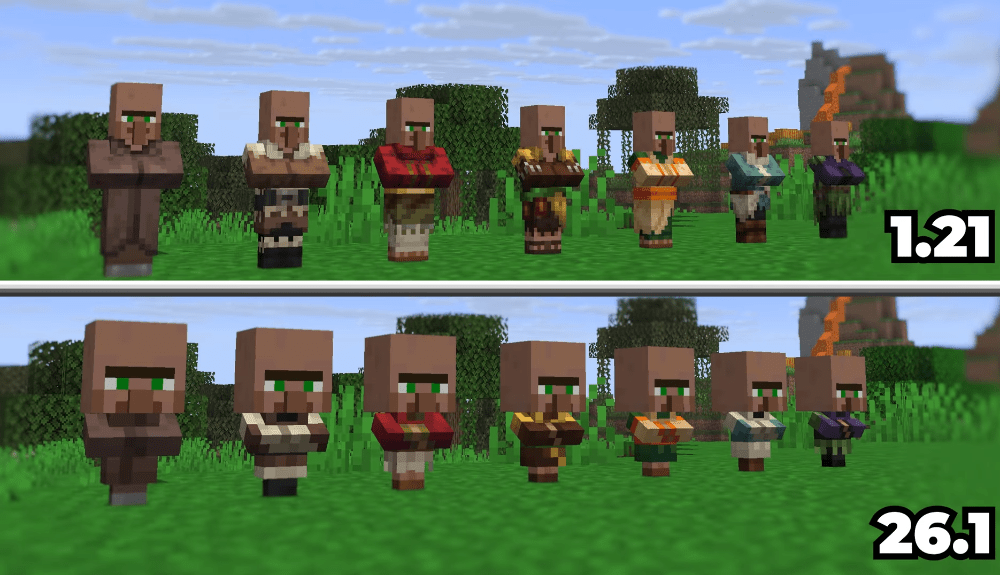
Why Change What Already Works?
Many players are used to the classic villager look, but from a technical perspective, the old models imposed certain limitations. Previously, villager variations (biomes, professions) were often implemented as single textures or rigidly defined models. This made adding new clothing or accessory options difficult without creating numerous separate files.
The new system aims for flexibility and unification. Transitioning to a layered structure allows the game to dynamically "assemble" a mob’s appearance by overlaying clothing and biome textures on top of a base model. This not only optimizes resources but also opens up vast potential for resource pack creators and future official updates.
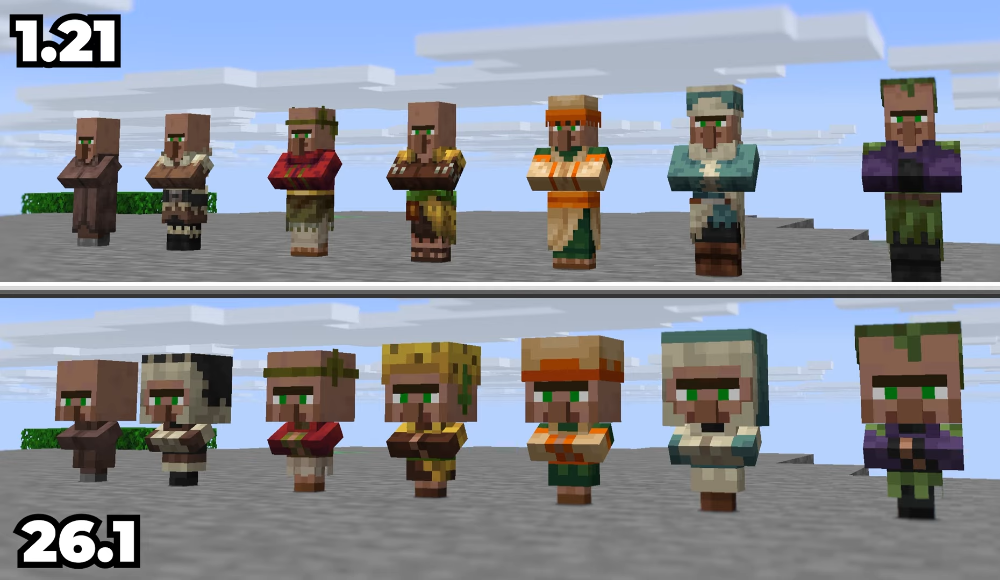
New Structure: Layers and Detailing
The main innovation of Snapshot 7 is the rework of mob child rendering. Now, young villagers and zombie villagers (as well as husks, drowned, and piglins) use an updated base model.
Key changes include:
- Base model: Children now have a "clean" base model, onto which layers are applied.
- Biome layers: Separate texture files for children have been created for each biome (desert, jungle, taiga, swamp, savanna, snow, and plains). This means a jungle villager child is now technically different from its desert counterpart in terms of texture layering.
- Hitboxes: Developers increased the bounding box for children to better match the new visual models. This is a small but important change for combat and interaction mechanics.
Now, if you check the game files or create your own texture pack, you’ll see a clear folder structure: entity/villager/baby/ and entity/zombie_villager/baby/, where all variations are neatly organized.
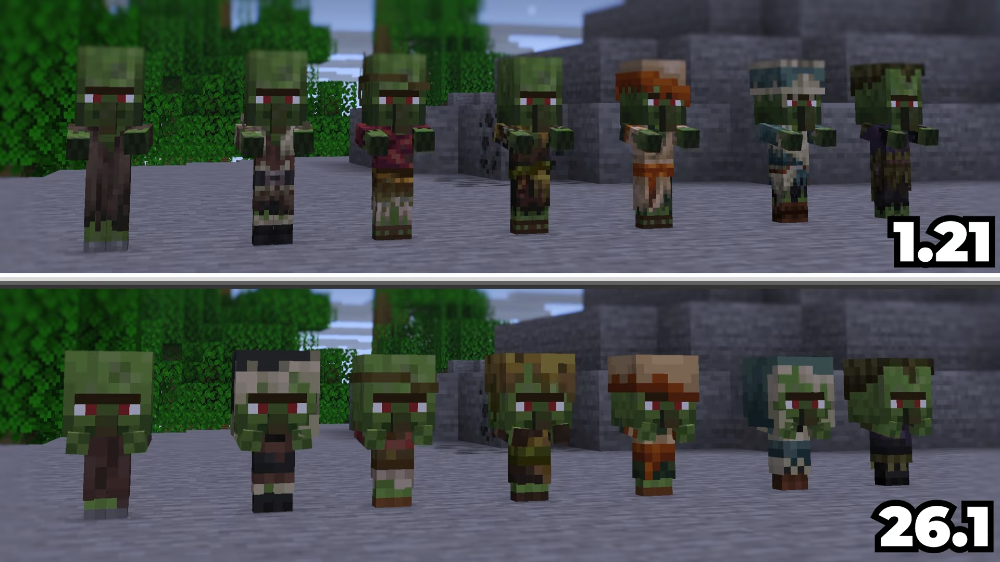
Impact on Players and Atmosphere
What does this mean for the average player? First and foremost — visual variety. Zombie and villager children now look more polished and detailed. Some graphical artifacts related to texture overlapping ("z-fighting"), which were occasionally noticeable on older models, have been eliminated.
Zombie children now look even more terrifying and simultaneously "higher quality." There’s no longer a sense that they’re just a scaled-down copy of an adult mob with a stretched texture. Each mob feels like a unique representative of its biome.
For content and map creators, this update — is a true gift. The new system’s support for transparency in block models and the updated texture format offer incredible customization possibilities.
What Do You Think?
Minecraft continues to evolve, and even familiar elements like villagers are getting the attention they deserve. Snapshot 7 shows that Mojang is ready to polish the game’s visual aspects to perfection.
What do you think of the new child villager models? Have you noticed the difference in the game, or do you prefer the classic look? Share your thoughts in the comments and discussions — because it’s feedback that shapes Minecraft’s future!
- publishedMceadmin
(Google Ads) Privacy Policy and Terms of Use


