Minecraft 26.1 Snapshot 6: The Attack of Cute Mobs and File System Revolution
- Android: 8,0+🕣 Updated
- CategoryInstructions
![Minecraft 26.1 Snapshot 6: The Attack of Cute Mobs and File System Revolution]()

Greetings to all miners and builders! On February 3, 2026, Mojang released a new and rather unusual snapshot for Java Edition — 26.1 Snapshot 6. At first glance, this update seems to be the cutest in recent times, but beneath its "fluffy" exterior lie some of the most significant technical changes to world-saving structures in years.
Let’s break down what has changed, why it matters, and how it will affect your gameplay.
Visual Update: The Invasion of Babies
Let’s start with the fun part. The developers decided that the Minecraft world wasn’t cute enough and gave a proper visual "makeover" to animal babies. If you love exploring biomes in search of fauna, get ready for new experiences.
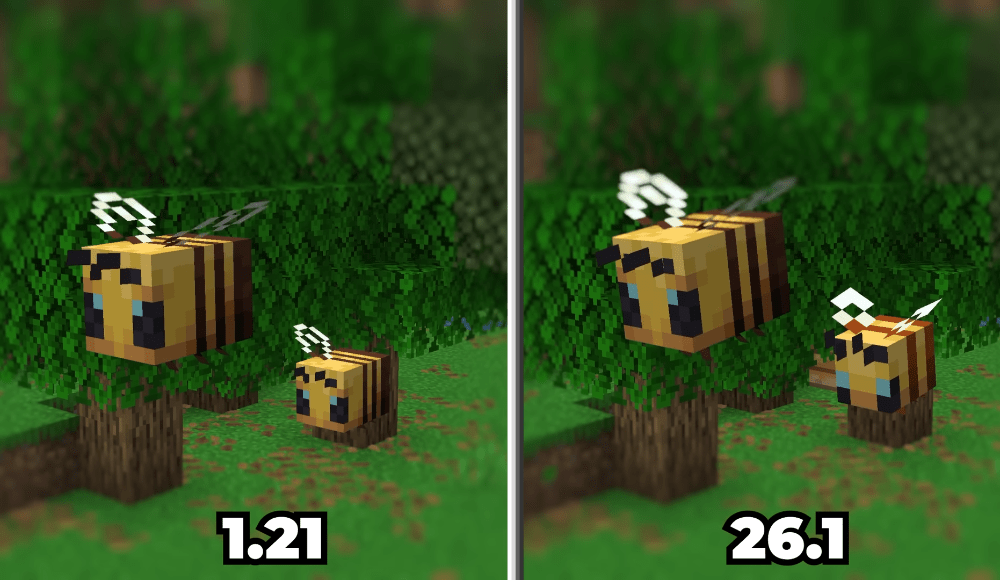
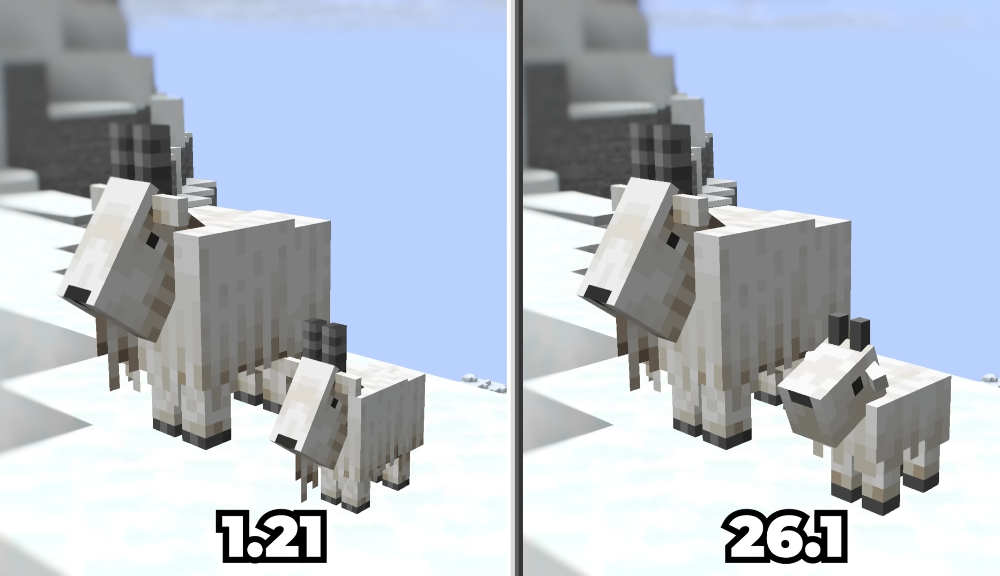
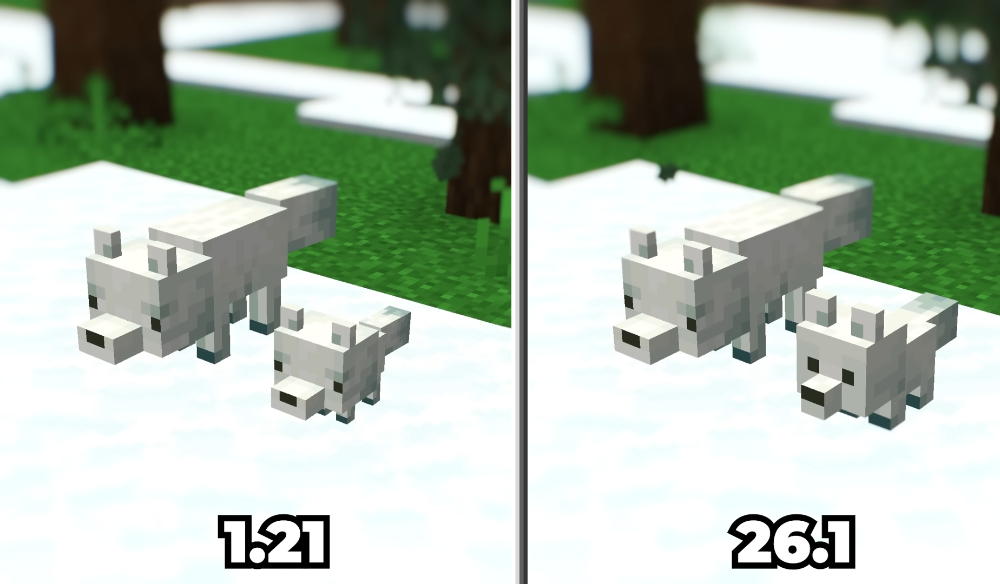
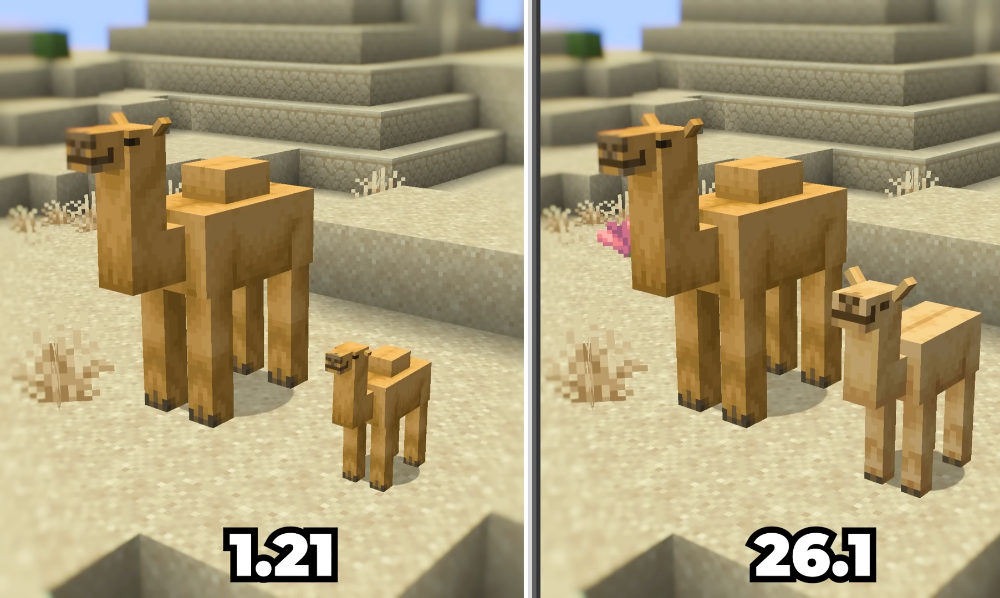
This snapshot updates the models and textures for a range of baby animals:
- Bees, foxes, and goats have received a refreshed look.
- Camels, armadillos, and llamas now look even more detailed.
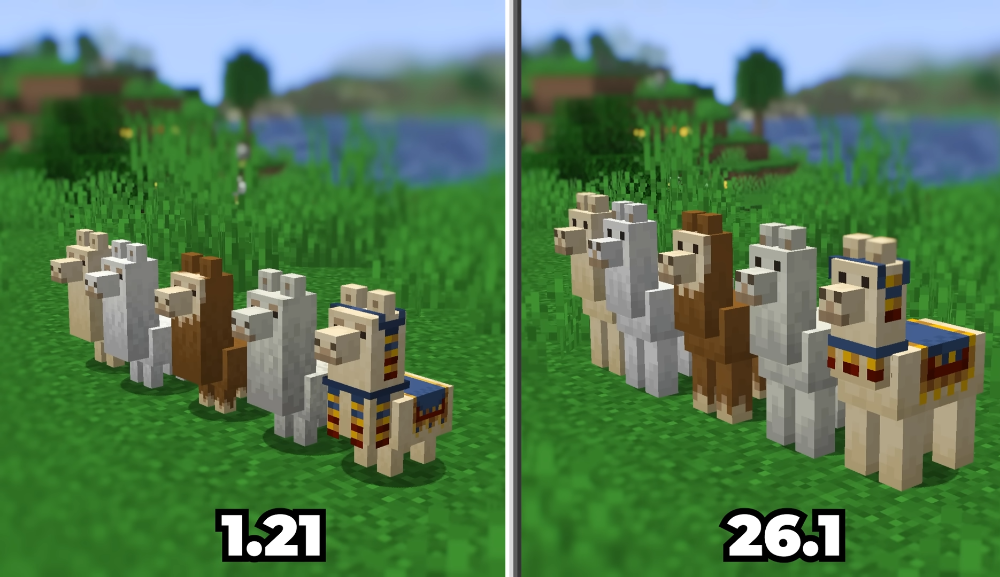
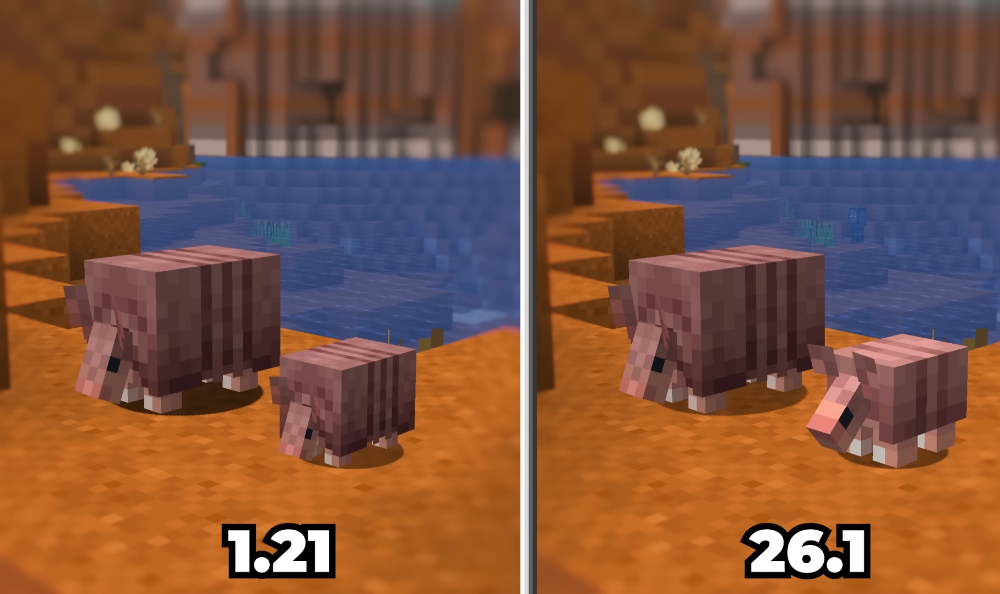
- Polar bear cubs have also been revamped (and, by the way, they no longer attack foxes, aligning with the Bedrock version).
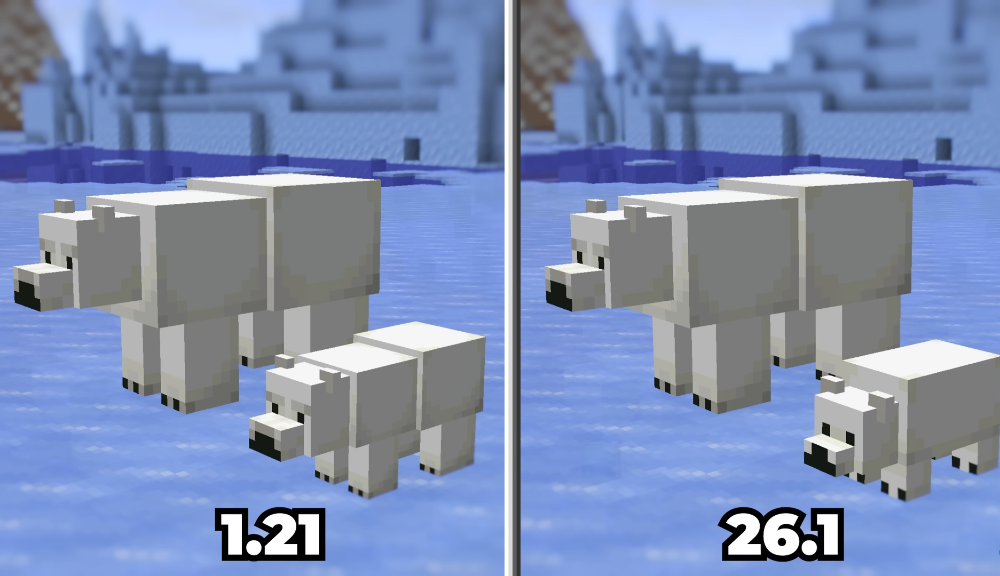
Additionally, baby axolotls have learned a new trick — they now have a "play dead" animation, just like their adult counterparts. These are small but delightful changes that make the world feel more alive and cohesive.
Technical Revolution: New Data Structure
Now let’s move on to the "heavy artillery." Under the hood, the game has undergone tectonic shifts in how Minecraft stores your world data on disk. This isn’t just a cosmetic tweak but a complete restructuring of the save file system.
Why is this happening?
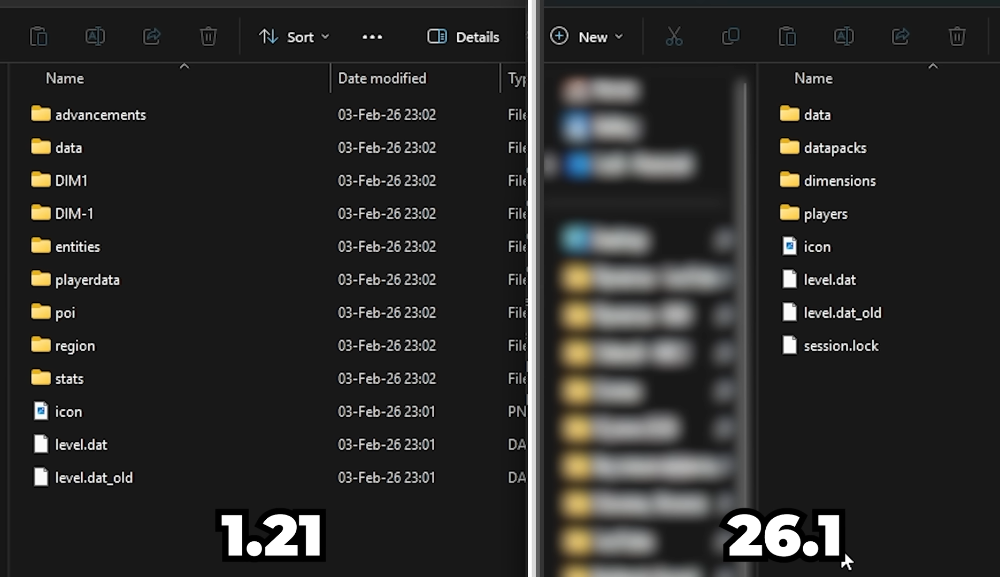
The main reason for these changes — is the pursuit of order and standardization. The old storage system, where dimension files were scattered (DIM-1, DIM1, and the root folder for the Overworld), was a legacy of early game versions. The new structure aims to make data handling more logical, secure, and convenient for mod and datapack developers.
What has changed in the files?
Dimensions organized: All dimension data is now stored in a dedicated subfolder called dimensions.
- The Overworld has moved to dimensions/minecraft/overworld.
- The Nether is now located in dimensions/minecraft/the_nether.
- The End has been relocated to dimensions/minecraft/the_end.
Player dаta: All player information (inventory, achievements, statistics) is now neatly stored in the players folder.
Namespacing: Data in the data folder is now strictly organized by namespaces. For example, scoreboard data has moved from the root to the minecraft subfolder.
The Data Pack version has been updated to 99, and the Resource Pack version to 80.
Impact on Players and Content Creators
These changes have significant implications for all user categories.
For Regular Players:
The most important thing to know: the update is irreversible. Due to the radical change in data storage format, once you load your old world in Snapshot 6, it will be converted. It will not be possible to return to an older game version with this world — the game simply won’t be able to "read" the files in their new locations.
This is why Mojang has implemented mandatory backup creation when loading an old world for the first time in this snapshot. Don’t ignore it!
For Map and Datapack Creators:
You have a lot of work ahead. Any datapacks that referenced old paths or used the old command storage structure will stop working. You’ll need to update your creations to the 99th version format, taking into account the new file paths and changes in world generation.
Conclusion
Minecraft 26.1 Snapshot 6 — offers a surprising contrast. On one hand, we’ve received possibly the cutest mobs in the game’s history. On the other hand, we see a strict technical overhaul that lays the foundation for the game’s future stability and expandability.
What do you think about these changes? Are you ready to reorganize your datapacks for the sake of file order, or do you prefer the new polar bear cub textures? Share your thoughts in the comments and don’t forget to back up your worlds!
- publishedMceadmin
(Google Ads) Privacy Policy and Terms of Use


