Minecraft Bedrock Edition Finally Got Subtitles
- Android: 8,0+🕣 Updated
- CategoryInstructions
![Minecraft Bedrock Edition Finally Got Subtitles]()

Sound is an important part of Minecraft. A creeper hissing behind you, footsteps in the dark, lava bubbling behind a wall — all of these are signals your survival depends on. But what if you can’t hear them? That’s exactly why Mojang released a long-awaited update: closed captions are now available in Minecraft Bedrock Edition.
What Closed Captions Are and How They Work
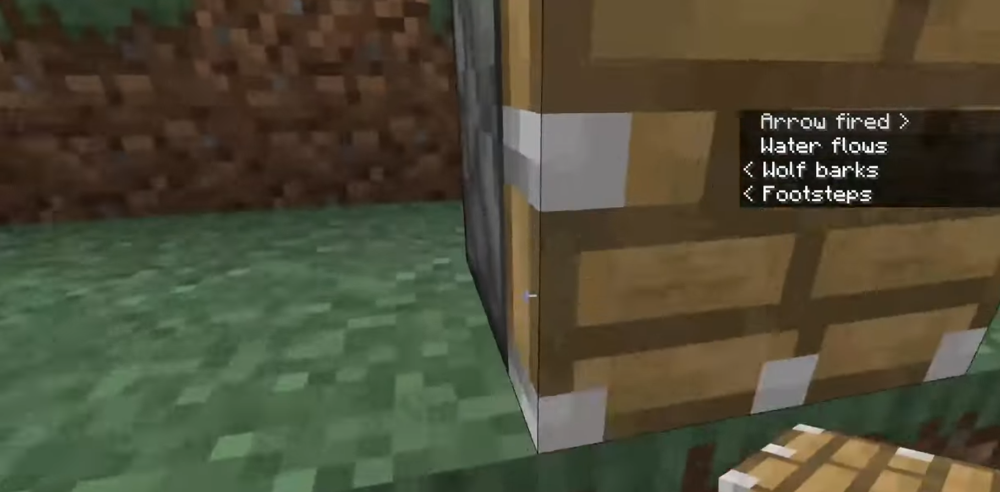
Closed captions are text prompts that appear on screen in real time and describe nearby sounds. Instead of hearing a creeper hiss, you see the text «Creeper hissing» and instantly know it’s time to run.
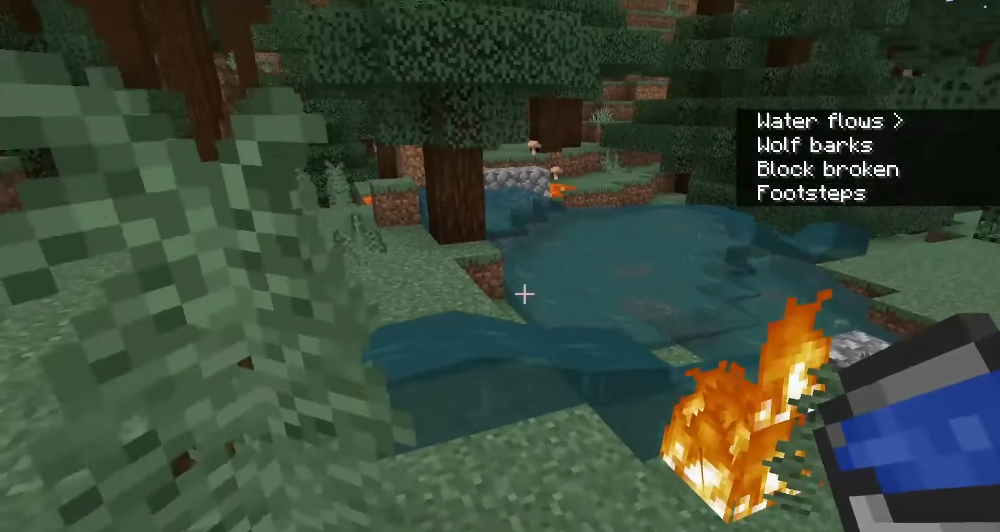
The subtitles cover a wide range of sounds: footsteps, doors opening, zombie groans, items falling, food finishing cooking, and much more. Alongside the text descriptions, the system also shows directional indicators — rough visual cues that point to the side the sound is coming from. This is especially useful in combat or at night, when it’s important to understand where danger is coming from.
Why It Took So Long: A Comparison With Java Edition
Java Edition players may be surprised: subtitles arrived there back in 2015 — more than ten years ago. Bedrock Edition went all that time without a similar feature, even though it is the main version of the game on consoles, mobile devices, and most PCs.
The gap between the two versions in terms of accessibility has long been a sore point for the community. The release of subtitles in version 26.20 is an important step toward feature parity. The function had already been available in a hidden form in preview builds before officially appearing in the release version.
Key Settings and Customization Options
Turning subtitles on is simple: Settings > Accessibility > Gameplay. There you’ll also find settings that let you tailor the feature to your needs:
- Subtitle position: top-right or bottom-right corner of the screen
- Display duration: how long the text stays on screen
- Sound filtering: you can disable subtitles for the player’s own sounds, as well as for weather and ambient noise, to focus only on truly important signals
- Directional indicators: visual cues for identifying the sound source
This level of customization makes it easy to tune the system for a specific playstyle — whether that’s solo survival or multiplayer on a server.
Who This Helps and Why It Matters
The main audience for the feature is deaf and hard-of-hearing players who previously missed important in-game information. But subtitles are useful for a much wider group of people:
- Those who play in noisy places and can’t hear game sounds
- Those with broken headphones or no way to turn sound on
- Those who simply want better spatial awareness
According to Mojang, players who tested the feature reported less stress in dangerous situations, better awareness of threats outside their field of view, and more confidence in combat and at night. Subtitles turn audio information into visual information — and that changes the experience even for players with perfect hearing.
Known Issues and Future Plans
Mojang openly admits the feature is not perfect yet. Among the known issues are:
- Incorrect or inconsistent subtitles for some sounds
- Difficulty with vertical indicators — it is still hard to tell whether a sound is coming from above or below
- Interface clutter during intense moments, such as fights with multiple mobs
There was even a funny localization case: the sound «pants» for a wolf (meaning heavy breathing) was translated literally in the British version as «wolf trousers». Just imagine the players’ reaction.
The team continues to refine the system.
A Step in the Right Direction
The arrival of subtitles in Bedrock Edition is more than just the addition of a convenient option. It’s a sign that the developers take game accessibility seriously for all players, regardless of physical ability.
Have you tried subtitles in Bedrock yet? Did they help you in-game — or did you notice sounds that should be added? Share your thoughts in the comments — your experience could help other players.
- publishedMceadmin
(Google Ads) Privacy Policy and Terms of Use


![Chicken Gun [Null's]](/uploads/mini/scroll-rel/63/1693986698_icon.png)


