Maps in Minecraft 26.3 Snapshot 7: Everything Changed — and Here’s Why It Matters
- Android: 8,0+🕣 Updated
- CategoryInstructions
![Maps in Minecraft 26.3 Snapshot 7: Everything Changed — and Here’s Why It Matters]()

Mojang keeps finding ways to surprise players. In 26.3 Snapshot 7, the developers revisited one of the game’s most underrated tools — maps. The changes affect virtually everything: item structure, navigation, accessibility, and even how datapacks work. Some of the updates are clearly for the better, while others are more controversial. Let’s break it down step by step.
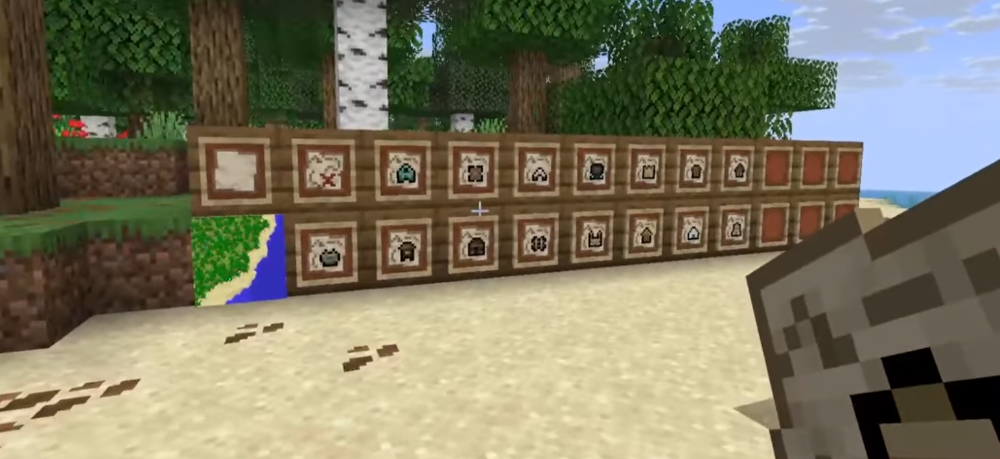
Explorer Maps Are Now Separate Items — Goodbye Confusion
Previously, Explorer Maps were essentially regular maps with extra data attached. Now they are fully separate items with their own logic and behavior. What does that mean in practice? It is now much easier to understand what you have in your inventory: a world map is a world map, while a map leading to a temple is a completely different item. No more confusion. On top of that, old maps are automatically converted to the new format, so existing worlds will not be affected.
New Maps in Abandoned Camps — Exploration Just Got More Interesting
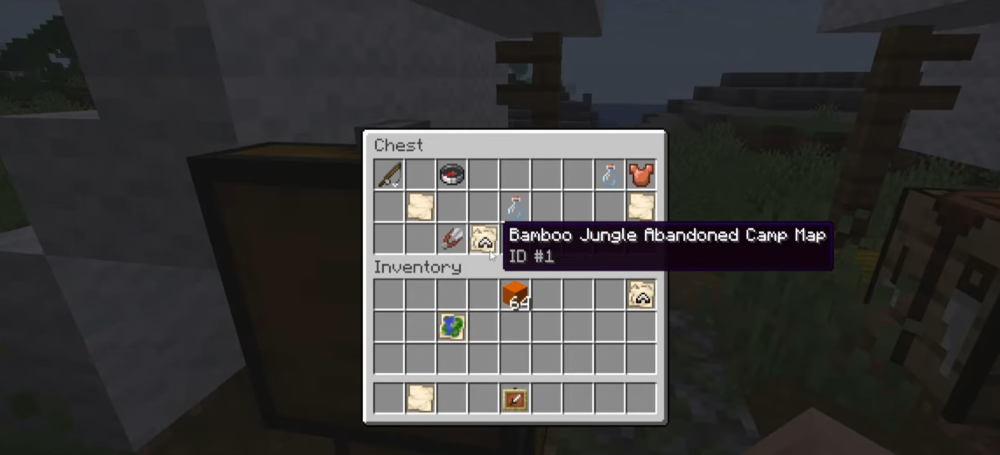
You can now find new types of maps in Abandoned Camps. This significantly changes the approach to exploration: previously, camps were not the most exciting places for loot, but now they have a strong reason to be visited. If you enjoy treasure hunting, this may become your new route. Maps found in camps can point to places of interest that were previously much harder to locate.
The Player Icon Always Shows Direction — Navigation Finally Works Properly
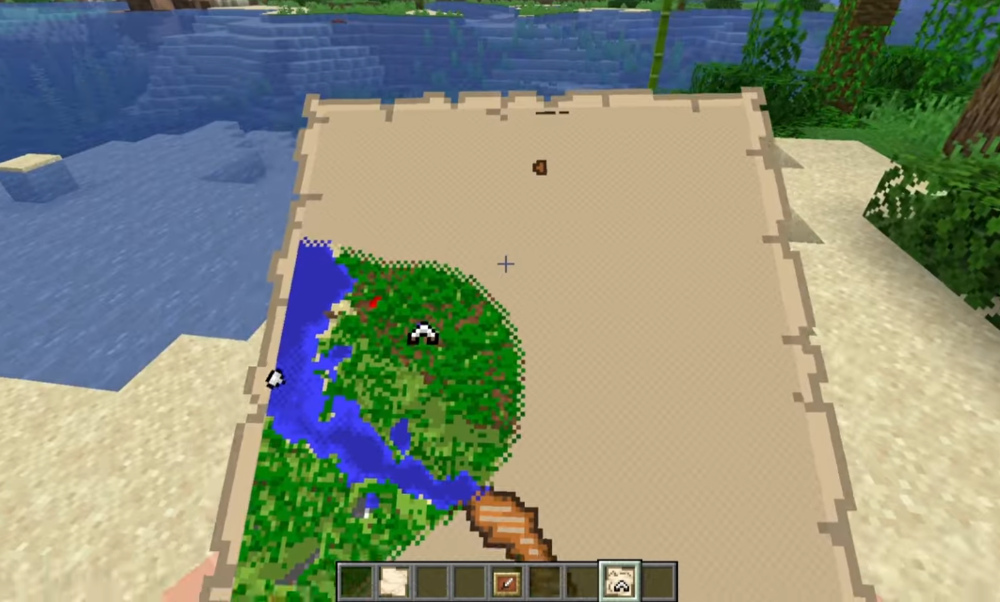
One of the most anticipated quality-of-life updates: the player icon on the map now always shows the direction you are facing, regardless of map type or conditions. Previously, this worked inconsistently, making orientation less convenient. Now you always know where you are and where you are heading. It may sound like a small detail, but in practice it changes everything, especially in large and unfamiliar biomes.
Zooming Out Explorer Maps and Buried Treasure Maps Is Disabled — A Controversial Decision
This change, however, will not please everyone. Explorer Maps and Buried Treasure Maps can no longer be scaled down with zoom out. Mojang’s reasoning is understandable: these maps are tied to specific points and are intentionally detailed. Scaling them made them less precise and sometimes more confusing. Still, for players used to flexibility, this is a noticeable limitation — especially in situations where a broader view of the terrain is needed.
How These Changes Will Affect Regular Players and Datapack Creators
For most players, the transition will be almost seamless: automatic map conversion handles the heavy lifting, while the new navigation system simply makes life easier. But technical players and datapack creators will face deeper changes. In particular:
- The map_color field has been removed — custom map colors are now configured differently.
- The minecraft:exploration_map mechanic has been changed, which may break existing datapacks that use maps as a navigation tool or quest element.
If you create or use datapacks, make sure to check compatibility before updating your world.
An Ambiguous Update, but an Important One
Minecraft 26.3 Snapshot 7 makes maps more logical, more convenient, and richer in content. The new item structure, improved navigation, and extra loot in camps are all steps in the right direction. The zoom out restriction raises questions, but it may only be the beginning of a broader overhaul of the cartography system.
What do you think about these changes? Share your opinion in the comments — especially if you actively use datapacks or rely on maps often in your worlds.
- publishedMceadmin
(Google Ads) Privacy Policy and Terms of Use


![Chicken Gun [Null's]](/uploads/mini/scroll-rel/63/1693986698_icon.png)


