Mojang has raised the system requirements for Minecraft: Java Edition
- Android: 8,0+🕣 Updated
- CategoryInstructions
![Mojang has raised the system requirements for Minecraft: Java Edition]()

If you’ve been a long-time Minecraft: Java Edition fan, there’s some news worth paying attention to. Mojang has officially updated the game’s system requirements — for the first time in many years. This decision will affect both newcomers and veteran players. Let’s break down what changed, why it happened, and what it means for the community.
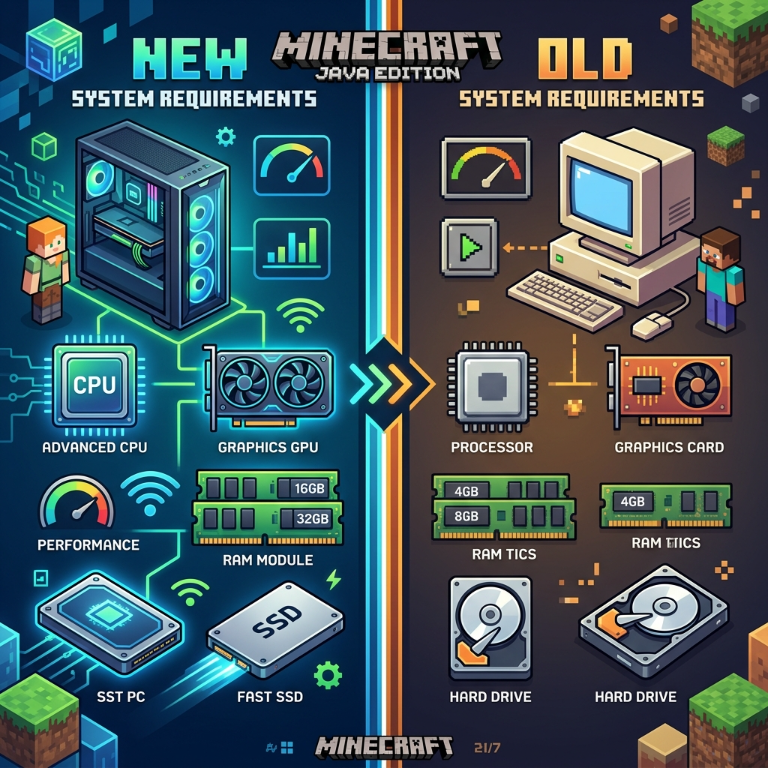
The core changes: new minimum and recommended requirements
The new system requirements for Minecraft: Java Edition have become noticeably stricter. Here are the key changes:
Minimum requirements:
- CPU: Intel Core i3-8100 / AMD Ryzen 3 3300U or higher (previously, processors from 2009–2010 were enough)
- RAM: 8 GB
- GPU: NVIDIA GeForce GTX 750 Ti / AMD Radeon RX 550 with OpenGL 4.6 support
- OS: Windows 10/11 (64-bit), macOS Catalina 10.15, or a current Linux distribution
Recommended requirements:
- CPU: Intel Core i5-8600K / AMD Ryzen 5 3600 or higher
- RAM: 16 GB
- GPU: NVIDIA GeForce GTX 1070 / AMD Radeon RX 5700
Support for 32-bit operating systems has been completely dropped. This is a major point for users with older hardware.
Why did Mojang make these changes?
There are several reasons, and each of them makes sense.
First, technological progress. Java Edition continues to evolve: new biomes, lighting systems, rendering optimizations, and support for modern shaders all require suitable hardware. Maintaining compatibility with 15-year-old machines is becoming increasingly difficult without hurting the game’s quality.
Second, security. Ending support for outdated operating systems — is not just a technical decision, but also a step toward protecting users. Older OS versions no longer receive security updates, which makes them vulnerable.
Third, stability. The wider the range of supported hardware, the harder it is for the development team to find and fix bugs. Narrowing that range allows Mojang to focus on quality instead of patching compatibility issues.
How will these changes affect players?
This is where the community is split — and that’s understandable.
For most players — there will be no problem. If you play on a relatively modern PC (bought within the last 5–7 years), your system most likely already meets the new requirements. In fact, you may even notice improvements in stability and performance.
For owners of older hardware — this is a real issue. Some players, especially in regions with limited access to new equipment, may find that their computer no longer supports current versions of the game. According to Steam statistics, around 3–4% of users still run 32-bit operating systems — for them, this update will block access to new versions.
Server communities will also feel the change: server admins will need to make sure their hosting meets the updated requirements.
For modders — this is more of a positive signal. Working with a more modern hardware base opens up new possibilities for creating technically complex mods without being held back by outdated limitations.
What should you do if your PC doesn’t meet the new requirements?
Don’t panic too soon. Older versions of the game aren’t going anywhere — the Minecraft launcher still lets you run previous builds. It’s a temporary solution, but it gives you time to plan a hardware upgrade.
It’s also worth checking whether your system’s performance is being dragged down by background processes or outdated drivers. Sometimes a simple GPU driver update can noticeably improve performance.
Conclusion: a step forward or a barrier for the community?
Raising system requirements — is a natural stage in the evolution of any game. Minecraft: Java Edition is not standing still, and Mojang is betting on quality and the future rather than supporting hardware from the previous decade. It’s an honest position, even if it isn’t an easy one.
What do you think about these changes? Have they affected you or your friends personally? Share your thoughts in the comments — discussions like these help the community better understand where their favorite game is heading.
- publishedMceadmin
(Google Ads) Privacy Policy and Terms of Use


![Chicken Gun [Null's]](/uploads/mini/scroll-rel/63/1693986698_icon.png)