Friends list in Minecraft 26.2 Snapshot 7: how it works and why it matters
- Android: 8,0+🕣 Updated
- CategoryInstructions
![Friends list in Minecraft 26.2 Snapshot 7: how it works and why it matters]()

In Minecraft 26.2 Snapshot 7 for Java Edition, one of the most notable social features in a long time has appeared — the friends list. For many players, this is an important step, because communication and co-op play in the Java version were not as convenient as they could have been. Now Mojang is trying to make joining friends’ worlds faster, clearer, and closer to modern online games.
The new feature is not just about interface convenience. Along with the friends list, the snapshot also introduced an easier way to connect to other players’ worlds through a peer-to-peer system. That means the feature was not created just “for show,” but as a foundation for smoother co-op play.
Why Mojang opened a new chapter in Minecraft communication
The main reason for the change is simple: Minecraft Java Edition has long needed a more convenient social system. Before this, players had to use servers, local networks, third-party launchers, or manually arrange connections. It worked for playing with friends, but it was hard to call it truly simple.
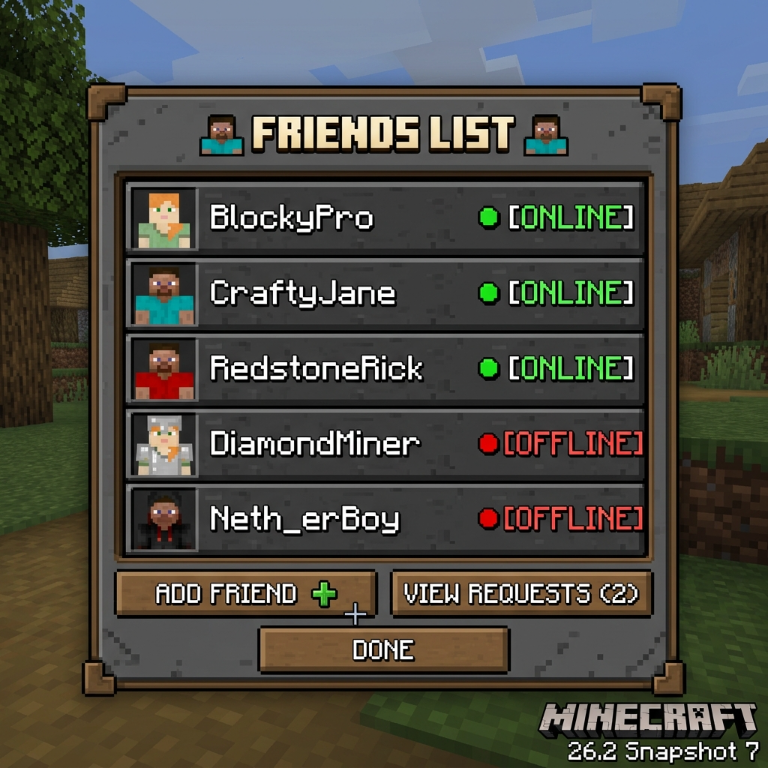
The friends list solves several problems at once. First, it helps players quickly see who is online. Second, it provides a clear way to send and accept friend requests directly in the game. Third, the new system is tied to online status and personal worlds, making it easier to invite friends or send a request to join an already open world.
It is also worth noting the nature of the version itself. Snapshot 7 is a test build of the 26.2 branch, meaning Mojang is still checking features before the full release. This matters for players: the new system is already available to try, but it can still change, be refined, and contain bugs.
How the friends list works under the hood
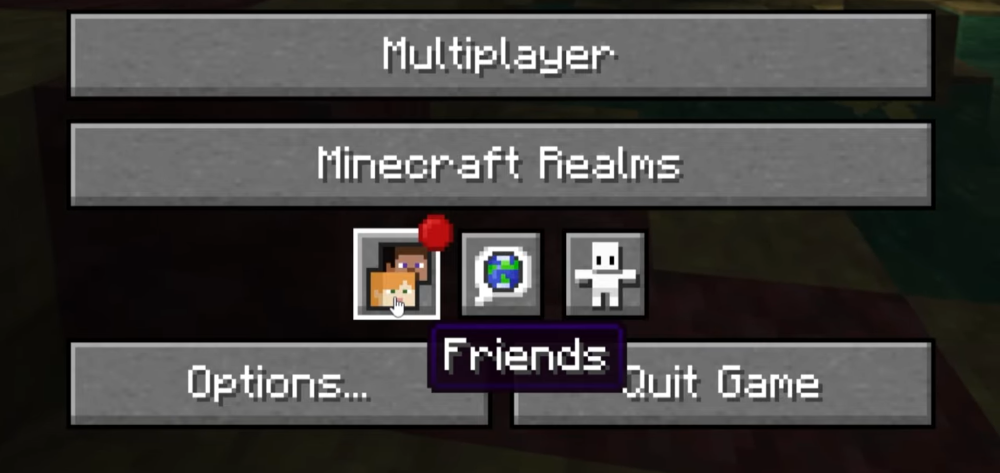
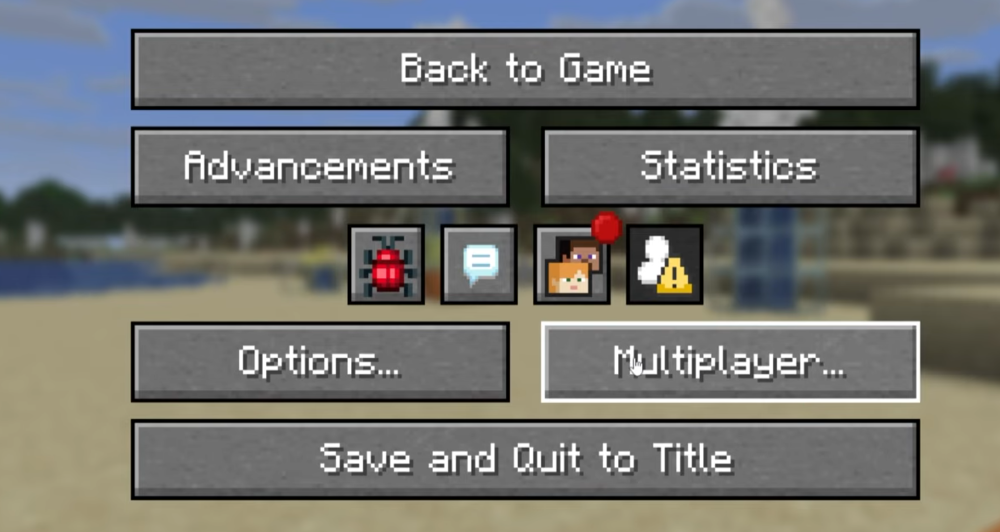
The friends list opens through the new Friends button on the main screen and in the pause menu. It also has a separate hotkey — O by default. The interface is designed as an overlay with two main tabs: Friends and Pending.
The Friends tab shows players already added as friends. Here, you can see their status, remove someone from the list, and send a new request by profile name. The Pending tab displays incoming and outgoing requests: incoming ones can be accepted or declined, while outgoing ones can be canceled.
The status system is especially useful. Under a friend’s name, one of several states may appear: Offline, Online, In a world, or In a joinable world. The last option is particularly important because it immediately shows which world you can join. This makes co-op play faster: there is no need to write in chat, clarify details, or wait for a separate invite if the world is already open.
Together in a new way: how multiplayer has changed
The addition of the friends list is closely tied to the new multiplayer system. In Snapshot 7, the usual Open to LAN window was replaced with Multiplayer Options. Now players can choose the access mode for their world: disable joining, open it only to the local network, or allow online access for friends.
If a world is open for online play, there are two clear scenarios. The first is a world invitation, when the host invites friends directly. The second is a join request, when a friend sends a request and the world owner decides whether to let them in. In practice, this makes a single-player world feel much closer to a private online session.
For players, this means fewer unnecessary steps and more flexibility. Minecraft becomes more convenient for small groups who want to jump in quickly without setting up a separate server.
Fine-tuning friendship: notifications, privacy, and caveats
Mojang also added separate privacy settings. In the Online Options menu, players can enable or disable the friends list, manage notifications, block incoming requests, and adjust the visibility of their activity. There are several presence modes: full activity display, limited status, or complete invisibility.
At the same time, the system is not perfect yet. Mojang directly noted that this is the first version of the feature and that it has known issues. For example, canceling or declining requests may cause list desynchronization. Some limitations are also tied to Microsoft or Xbox profile security settings.
The bottom line: a new step toward a friendlier Minecraft
The friends list in Minecraft 26.2 Snapshot 7 is not just a new button in the menu, but an important change for all of Java Edition. It makes the game more social, simplifies finding friends, helps players connect to worlds faster, and lays the groundwork for a more modern multiplayer experience.
If Mojang brings the system to a stable state, it could become one of the most useful features for regular players. What do you think of the new friends list? Is it a useful change for Java Edition, or do you still prefer the old way of playing through servers?
- publishedMceadmin
(Google Ads) Privacy Policy and Terms of Use


